 freegame.com.es

Popular Games
Last Played


X-Plane Flight Sim Simulator
2 plays

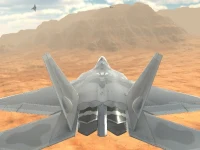














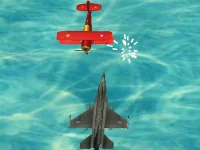




























X-Plane Flight Sim Simulator
X-Plane Flight Sim Simulator lets you experience the thrill of flying like a real pilot. The game features authentic controls and detailed physics, making every flight a challenging and realistic adventure.
How To Play X-Plane Flight Sim Simulator
To start, you'll need to select an aircraft and familiarize yourself with the basic flight controls. From there, it's time to take off and navigate to the landing zone, all while avoiding weather hazards and managing air traffic.
Controls and Features
Mastering X-Plane Flight Sim Simulator's controls is key to success. Use the arrow keys or WASD to steer, the spacebar to accelerate, and the mouse to control the camera. The throttle can be adjusted using the F and G keys, while the landing gear is controlled by the Q key. Be aware that the game has an emergency mode and realistic physics that can feel floaty at times.
Tips
When playing X-Plane Flight Sim Simulator, keep your eyes open and be prepared for anything. Slow down your speed to manage the controls when the engine roars, and be aware of the physics feeling sketchy.
FAQ
What are the controls?
Arrow keys or WASD for steering, spacebar for acceleration, mouse for camera, F and G for throttle, and Q for landing gear.
What is the objective?
Navigate to the landing zone while avoiding weather hazards and managing air traffic.
Is there an emergency mode?
Yes, the game has an emergency mode.
What is the main mechanic?
The main mechanic is using physics to fly and land the aircraft.
About this game
- Supported devices
- Desktop
- Genre
- Shooting Games
- Release date
- 18 March 2024
- Latest update
- 18 March 2024
- Rating
- No ratings yet