 freegame.com.es

Popular Games
Last Played


Unicorn Slime Designer
0 plays
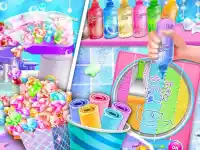
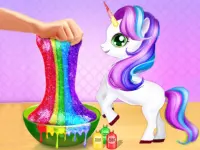



































Unicorn Slime Designer
Get creative with Unicorn Slime Designer, a fun html5 games for your site where you design your own colorful slime. This engaging decoration game lets you mix bases, add vibrant colors, and sprinkle sparkles to make unique slime creations. Perfect for kids and fans of girls games, it offers endless possibilities for imagination and fun.
How To Play Unicorn Slime Designer
Start by picking a slime base, then choose your favorite colors and add sparkles or scents. Mix them together by squishing the slime gently. Clean up your workspace when you're done to keep things neat.
Controls and Features
Use your mouse to click and drag colors and sparkles into the slime. Left-click to add elements and right-click to remove them. The game lets you freely experiment with mixing and squishing slime.
Tips
Take your time mixing colors for the best results. Drag elements slowly and squish the slime to blend the colors evenly.
FAQ
How do I add sparkles to my slime in Unicorn Slime Designer?
Click and drag sparkles from the menu onto your slime. Left-click to place them and right-click to take them away.
Can I customize the base of my slime?
Yes, you can select different bases before adding colors and sparkles to create your perfect slime.
What makes Unicorn Slime Designer different from other decoration games?
This game focuses on mixing and squishing slime, offering a unique way to create and decorate.
Is Unicorn Slime Designer suitable for kids?
Absolutely, it's a fun and simple game designed with kids in mind, featuring bright colors and easy controls.
```About this game
- Supported devices
- Desktop
- Genre
- Girls Games
- Release date
- 24 October 2024
- Latest update
- 24 October 2024
- Rating
- No ratings yet