 freegame.com.es

Popular Games
Last Played


stick cricket
3 plays










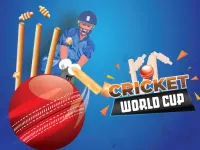













stick cricket
Get ready to test your skills in the thrilling 1 Player experience that is stick cricket, a challenging arcade game that requires perfect timing and strategy to succeed. With its engaging gameplay and simple controls, stick cricket is perfect for anyone looking for a fun and quick challenge.
How To Play stick cricket
Timing is crucial in stick cricket, so be sure to hit the ball at the right moment to score runs. As you play, your stamina bar will drain, and it's essential to manage your energy carefully to achieve the highest score.
Controls and Features
Stick cricket uses mouse or keyboard controls to hit the ball, and the objective is to score as many runs as possible before your stamina depletes. The game features different bowlers and pitches, making each play a unique challenge. With a high score system in place, you'll be able to track your progress and compete with others in this transport of a game that will keep you on the edge of your seat.
Tips
Focus on timing your shots perfectly, and don't forget to manage your stamina carefully to achieve a higher score. With practice, you'll become a pro at stick cricket and be able to take on even the toughest opponents in this cazy gams experience.
FAQ
What are the controls in stick cricket?
Mouse or keyboard controls are used to hit the ball in stick cricket.
What is the main objective of the game?
Score as many runs as possible in stick cricket.
What feature makes stick cricket a challenging game?
The game includes a high score system, where you can track your progress and compete with others.
What is the key to success in stick cricket?
Timing shots to hit the ball is the main mechanic in stick cricket, making it essential to time your shots perfectly to achieve the highest score.
About this game
- Supported devices
- Desktop
- Genre
- Sports Games
- Release date
- 24 October 2024
- Latest update
- 24 October 2024
- Rating
- No ratings yet