

Popular Games
Last Played


Real Flight Simulator
0 plays







































Real Flight Simulator
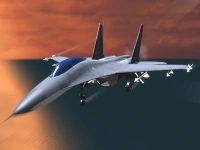
Get ready for a thrilling aerial experience with Real Flight Simulator, a free browser game that puts you in the pilot's seat. This game is an excellent choice for fans of Action Games and simulation enthusiasts. By controlling a variety of aircraft, you'll need to navigate through levels, avoiding obstacles and crashing.
How To Play Real Flight Simulator
Start by selecting an aircraft and accelerating to take off. The controls are simple, using arrow keys or WASD for steering and the space bar to brake or land. Your goal is to land safely while navigating through challenging levels.
Controls and Features
This game features real physics and various airplanes, making it a realistic simulation experience. The controls include arrow keys or WASD for steering, accelerate with another key, and brake or land with space. The game has different levels with unique challenges, requiring you to think strategically and make quick decisions.
Tips
To succeed, focus on the instrument panels and fly straight. It's essential to slow down before landing to avoid crashing into obstacles. Practice makes perfect, so don't get discouraged if you don't land safely at first.
FAQ
What are the controls?
The controls include arrow keys or WASD for steering, accelerate with another key, and brake or land with space.
What is the main mechanic?
The main mechanic is flying planes with physics and instrument panels.
Can I play this game in 3D?
Yes, you can play a variation of this game called Real Flight Simulator 3D, which features more realistic graphics and gameplay.
How do I navigate through levels?
Navigate through levels by selecting an aircraft, accelerating to take off, and using the controls to steer and land safely.
About this game
- Supported devices
- Desktop
- Genre
- Action Games
- Release date
- 26 June 2024
- Latest update
- 26 June 2024
- Rating
- No ratings yet