 freegame.com.es

Popular Games
Last Played


Monster Maker
4 plays





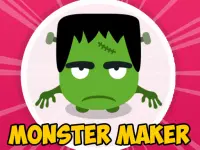




















Monster Maker
Get ready to unleash your creativity with Hypercasual Games sensation Monster Maker! This browser-based game lets you craft unique creatures by clicking buttons and modifying colors and backgrounds. You can generate random monsters, mix and match colors, and even take a screenshot of your masterpiece – but don't worry, it only works on Windows.
How To Play Monster Maker
Create your own random creatures and explore the endless possibilities in Monster Maker. Fans of Monster Girl Maker will enjoy the similar creative experience offered by this game.
Controls and Features
The main mechanic is clicking the Generate button to create monsters, with options to toggle Monster colors and select a background for the image. You can also take a screenshot of your creation, but bear in mind that it only works on Windows Build.
Tips
For a more engaging experience, try pressing the Generate button repeatedly to see the variety of designs and effects. You can also experiment with different clicking speeds to see how they impact your monster creation.
FAQ
How do I play Monster Maker?
Click the Generate button to create a random monster, then check the multi Color box for extra options and choose a background to complete your creation.
What is the objective of Monster Maker?
The goal of Monster Maker is to create random monsters using the available buttons and options.
Is there a timer or time limit in Monster Maker?
No, there is no stated timer or time limit in Monster Maker.
How do I save my monster creations?
You can take a screenshot of your monster creation, but this feature only works on Windows Build.
About this game
- Supported devices
- Desktop
- Genre
- Hypercasual Games
- Release date
- 24 October 2024
- Latest update
- 24 October 2024
- Rating
- No ratings yet