 freegame.com.es

Popular Games
Last Played


Gravity Box
2 plays





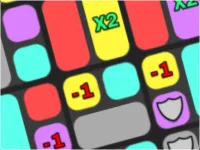




















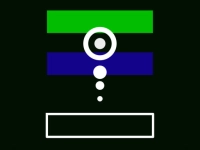













Gravity Box
Get ready for a thrilling physics-based challenge in Gravity Box, a game that will put your timing and control skills to the test. With its addictive gameplay and simple yet intuitive controls, Gravity Box is a perfect fit for fans of puzzle games. As a player, you'll need to master the art of manipulating gravity to overcome obstacles and climb to the top.
How To Play Gravity Box
In Gravity Box, you'll control a box that's subject to the laws of gravity. Your goal is to navigate through a series of obstacles and reach the top without falling off the platform. To achieve this, you'll need to time your gravity flips perfectly, using your mouse or touch controls to change the box's direction.
Controls and Features
Gravity Box features a simple yet effective control system. Use your mouse or touch controls to flip gravity, and click or tap to change the box's fall direction. The gameplay demands precise timing and careful planning, so be ready to adjust your movements quickly to overcome obstacles.
Tips
When playing Gravity Box, it's essential to stay focused and adapt to the situation. Use slow and precise timing when flipping gravity to ensure the box climbs safely. Remember, the key to success lies in mastering the art of gravity manipulation.
FAQ
What are the controls in Gravity Box?
Use your mouse or touch controls to flip gravity and click or tap to change the box's fall direction.
What is the objective of Gravity Box?
The objective of Gravity Box is to overcome obstacles and climb to the top without falling off the platform.
What features exist in Gravity Box?
Gravity Box features precise gravity manipulation and intuitive controls.
What is the main mechanic of Gravity Box?
The main mechanic of Gravity Box is manipulating gravity at strategic moments to overcome obstacles and reach the top.
About this game
- Supported devices
- Desktop
- Genre
- Puzzle Games
- Release date
- 03 April 2025
- Latest update
- 03 April 2025
- Rating
- No ratings yet