 freegame.com.es

Popular Games
Last Played


Geometry Vibes 3D
0 plays







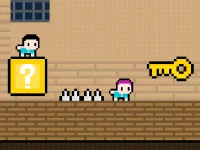





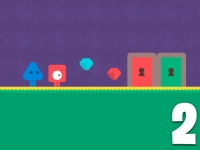









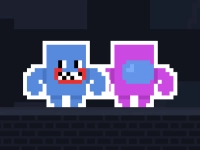


Geometry Vibes 3D
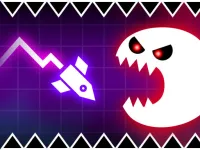
Get ready to experience the ultimate upgrade in reflexes and rhythm-based skills with Geometry Vibes 3D, a vibrant and dynamic 3D world that takes everything you loved about the original and elevates it to new dimensions. 1 Player and 2 Player modes are available, making this a great option for players who enjoy competing with friends or family. With fully reimagined levels and stunning new visuals, you'll be challenged to keep up with the pace.
How To Play Geometry Vibes 3D
Playing Geometry Vibes 3D is easy: simply use your mouse or tap the screen to control your character's movements. In 2 Player mode, two players can work together to conquer the challenges. You can also use the Up Arrow Key to jump and navigate through the levels. As you progress, you'll discover that the game gets increasingly difficult, but with the right reflexes and rhythm, you'll be able to overcome any obstacle.
Controls and Features
The controls are simple and intuitive, making it easy for anyone to pick up and play. You can use the mouse or tap the screen to control your character's movements, and the Up Arrow Key to jump and navigate through the levels. The game features a variety of levels, each with its own unique challenges and obstacles. As you progress, you'll unlock new levels and features, making the game even more exciting.
Tips
One of the key tips to success in Geometry Vibes 3D is to keep a steady rhythm and stay focused on the challenges ahead. The game can get quite difficult, but with practice and patience, you'll be able to overcome any obstacle and reach the top of the leaderboards.
FAQ
What are the system requirements for playing Geometry Vibes 3D?
The game can be played on a variety of devices, including desktops, laptops, and mobile devices. The minimum system requirements are a 2.4 GHz processor, 4 GB of RAM, and a 1280 x 720 resolution display. The game is fully optimized for mobile devices, making it easy to play on-the-go.
Can I play Geometry Vibes 3D with my friends?
Yes, Geometry Vibes 3D features a 2 Player mode, allowing you to play with your friends or family. Simply connect two controllers or devices, and you'll be able to play together in real-time. The game is a great option for anyone who enjoys competing with friends or family.
How do I unlock new levels and features in Geometry Vibes 3D?
As you progress through the game, you'll unlock new levels and features by completing challenges and overcoming obstacles. The game features a variety of levels, each with its own unique challenges and obstacles. By staying focused and maintaining a steady rhythm, you'll be able to unlock new levels and features and reach the top of the leaderboards.
What are the best controls to use in Geometry Vibes 3D?
The best controls to use in Geometry Vibes 3D are the mouse or tap the screen to control your character's movements, and the Up Arrow Key to jump and navigate through the levels. The game is fully optimized for mobile devices, making it easy to play on-the-go.
About this game
- Supported devices
- Desktop
- Genre
- Arcade Games
- Release date
- 02 October 2026
- Latest update
- 02 October 2026
- Rating
- No ratings yet