 freegame.com.es

Popular Games
Last Played


Galaxy Stones
0 plays






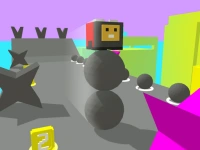













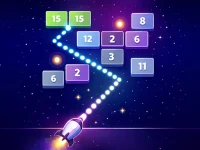



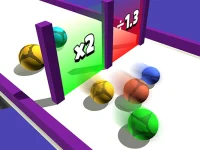




Galaxy Stones
Get ready to put your reflexes to the test with Galaxy Stones, a thrilling arcade experience that challenges you to keep unpredictable bouncing stones on screen for as long as possible.
How To Play Galaxy Stones
In this fast-paced game, your goal is to navigate through the screen and intercept stones as they bounce off walls with unpredictable velocity. With waves of stones increasing in difficulty, you'll need to stay focused and react quickly to prevent them from escaping.
Controls and Features
Galaxy Stones features intuitive controls that allow you to move your character to intercept stones and clean their trajectories. By anticipating movements and moving slowly to intercept stones precisely, you can prevent them from escaping the screen and earn high scores.
Tips
For a better experience, try to anticipate the movements of the stones and move slowly to intercept them precisely. This will help you prevent them from escaping the screen and increase your chances of success.
FAQ
What is the main objective of Galaxy Stones?
The main objective is to keep the stones on screen for as long as possible while they move erratically.
Can I control the stones' velocity?
Unfortunately, the game does not provide specific controls for changing the stones' velocity, but you can move your character to intercept them and clean their trajectories.
Are there any specific features in Galaxy Stones?
No, there are no specific features mentioned in the game, but you can expect increasing difficulty with waves of stones and unpredictable velocities.
How do I challenge my reflexes in Galaxy Stones?
You can challenge your reflexes by attempting to intercept stones with unpredictable velocities and preventing them from escaping the screen as long as possible.
About this game
- Supported devices
- Desktop
- Genre
- Arcade Games
- Release date
- 24 October 2024
- Latest update
- 24 October 2024
- Rating
- No ratings yet