 freegame.com.es

Popular Games
Last Played


Diy Joystick Game
0 plays



















Diy Joystick Game
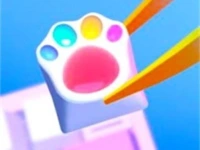
Diy Joystick Game is a fun and creative Hypercasual Game that lets kids express themselves and have fun. This unique game is perfect for young players who love to create and customize their own designs. With Diy Joystick Game, kids can use colors and stickers to match customer requests or their own style. The goal is to create a one-of-a-kind design that is both cute and impressive.
How To Play Diy Joystick Game
Playing Diy Joystick Game is easy and simple. Start by clicking on the colors and stickers you want to use, then drag them onto the joystick to create a design. Be careful not to make a mess, and don't worry if you need to clean up - it's all part of the creative process. The more you play, the more designs you'll unlock, and the more you'll want to share them with friends and family.
Controls and Features
The game features a simple and intuitive control system that makes it easy for kids to create their own designs. Use your mouse to click, drag, and select colors or stickers to customize joysticks. The game has no timer or hints, so players can take their time to create the perfect design. With no stated features, the game is all about imagination and creativity.
Tips
Work slowly and carefully when creating a design, focusing on using the stated controls to drag items and avoid messing up the design. Take your time to think about the colors and stickers you will use, and make sure to clean up any mistakes as you go.
FAQ
What is the main mechanic of the game?
Dragging and clicking to place colors and stickers is the main mechanic of the game. This allows kids to customize their joysticks and create unique designs.
Can I customize joysticks in the game?
Yes, you can customize joysticks with colors and stickers to match customer requests or your own style. This game is perfect for kids who love to express themselves and have fun.
How do I clean up a mess in the game?
Click on the mess and it will be removed, allowing you to start again and create a new design.
How can I unlock new designs in the game?
The more you play, the more designs you'll unlock, and the more you'll want to share them with friends and family.
About this game
- Supported devices
- Desktop
- Genre
- Hypercasual Games
- Release date
- 24 October 2024
- Latest update
- 24 October 2024
- Rating
- No ratings yet