 freegame.com.es

Popular Games
Last Played


Candy Blocks
0 plays






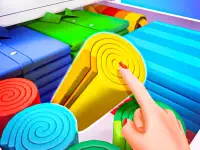





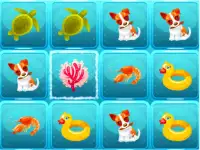











Candy Blocks
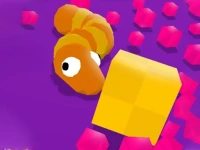
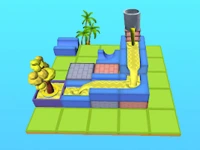
Candy Blocks is a fun puzzle game where you shift colorful blocks to fill an empty grid. This action games title tests your planning skills as you strategically place pieces to complete the board. Playable on any device, it offers a satisfying challenge for puzzle fans and casual gamers alike. The game's simple rules make it easy to pick up, but mastering it takes practice.
How To Play Candy Blocks
To play, drag blocks into the open spaces on the grid. The goal is to fill every spot without leaving gaps. Take your time to plan moves, as rushing can leave you stuck. Clear the board completely to win. The game supports both touch and mouse controls for flexible play.
Controls and Features
Candy Blocks works on mobile and desktop devices. Use your finger or mouse to drag blocks into position. The game adapts smoothly to any screen size. Its simple design focuses on the enjoyable challenge of block placement. No timers or complex rules make it great for quick or relaxed play sessions.
Tips
Slow down your moves to avoid mistakes. Always plan ahead by checking where each block fits best. Focus on filling corners first to limit your options later. Leaving spaces often traps you, so fill gaps as they appear.
FAQ
How do I win in Candy Blocks?
You win by filling every empty tile on the grid with blocks. The game ends when no spaces remain. There are no levels or time limits, just the satisfaction of completing the puzzle.
Is Candy Blocks suitable for kids?
Yes, the game is great for kids due to its simple mechanics and bright colors. It helps develop spatial reasoning and planning skills in a fun way.
Can I play Candy Blocks on my phone?
Absolutely. The game supports both mobile and desktop play. Touch controls make it easy to drag blocks on touchscreen devices.
What happens if I get stuck?
If you can't place a block, try rearranging earlier pieces. The game doesn't penalize restarts, so you can always undo moves until you find the right solution.
```About this game
- Supported devices
- Desktop
- Genre
- Action Games
- Release date
- 24 October 2024
- Latest update
- 24 October 2024
- Rating
- No ratings yet