 freegame.com.es

Popular Games
Last Played


Bottle Tap
1 plays

























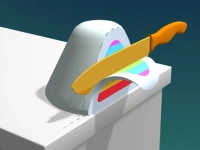











Bottle Tap
Bottle Tap is a lively Hypercasual Games title where you tap bottles to release juice and guide the liquid to collect stars. The goal is to move the stream carefully around obstacles and finish each level with a bright splash of success. With simple taps and fun physics, it offers quick, satisfying play for anyone who enjoys 2D challenges.
How To Play Bottle Tap
Click or tap on bottles to start the juice flowing. Clear a path so the liquid can reach every star while steering clear of barriers. Plan each move to keep the stream steady and guide it to the goal. The game rewards patience and smart timing.
Controls and Features
Use simple mouse clicks or finger taps to release and stop the juice. The game features physics based on gravity and angles, so each tap affects how the liquid moves. It is easy to learn but offers depth for players who want to master the flow.
Tips
Take your time and plan your taps carefully. Slow, well timed moves help you direct the juice exactly where you want it. Watch how the liquid reacts to slopes and turns to collect stars with ease.
FAQ
How do I control Bottle Tap?
Tap or click on bottles to release juice and stop the flow. Simple taps let you guide the liquid along the path and collect stars.
What is the main objective in Bottle Tap?
Guide the juice to collect stars while avoiding obstacles. Each level challenges you to plan your taps for a clean, successful run.
Can I play Bottle Tap on different devices?
Yes, the game uses simple mouse or finger taps and works well on various screens. Its physics based on gravity and angles suit both desktop and mobile play.
Is Bottle Tap good for kids?
Yes, the game is friendly and easy to learn. Kids can enjoy the Logical puzzle of guiding juice and collecting stars at a relaxed pace.
About this game
- Supported devices
- Desktop
- Genre
- Hypercasual Games
- Release date
- 24 October 2024
- Latest update
- 24 October 2024
- Rating
- No ratings yet